Incognito Mode on MG Dating
Hide your profile from your boss, relatives, or exes.

Hide your profile from your boss, relatives, or exes.
If you want to take a step back from dating, or browse MG Dating without other daters seeing your profile, you can switch to Incognito Mode. Turning on this feature means we’ll hide you from everyone—unless you like them first. It allows you to control what you share, and who sees you.
Download MG Dating
Incognito Mode is available for Premium and Premium+ members. Once you’ve signed up, you can switch it on by going to your profile tab, tapping Settings in the top right corner, and switching to Incognito Mode.
Upgrade to Premium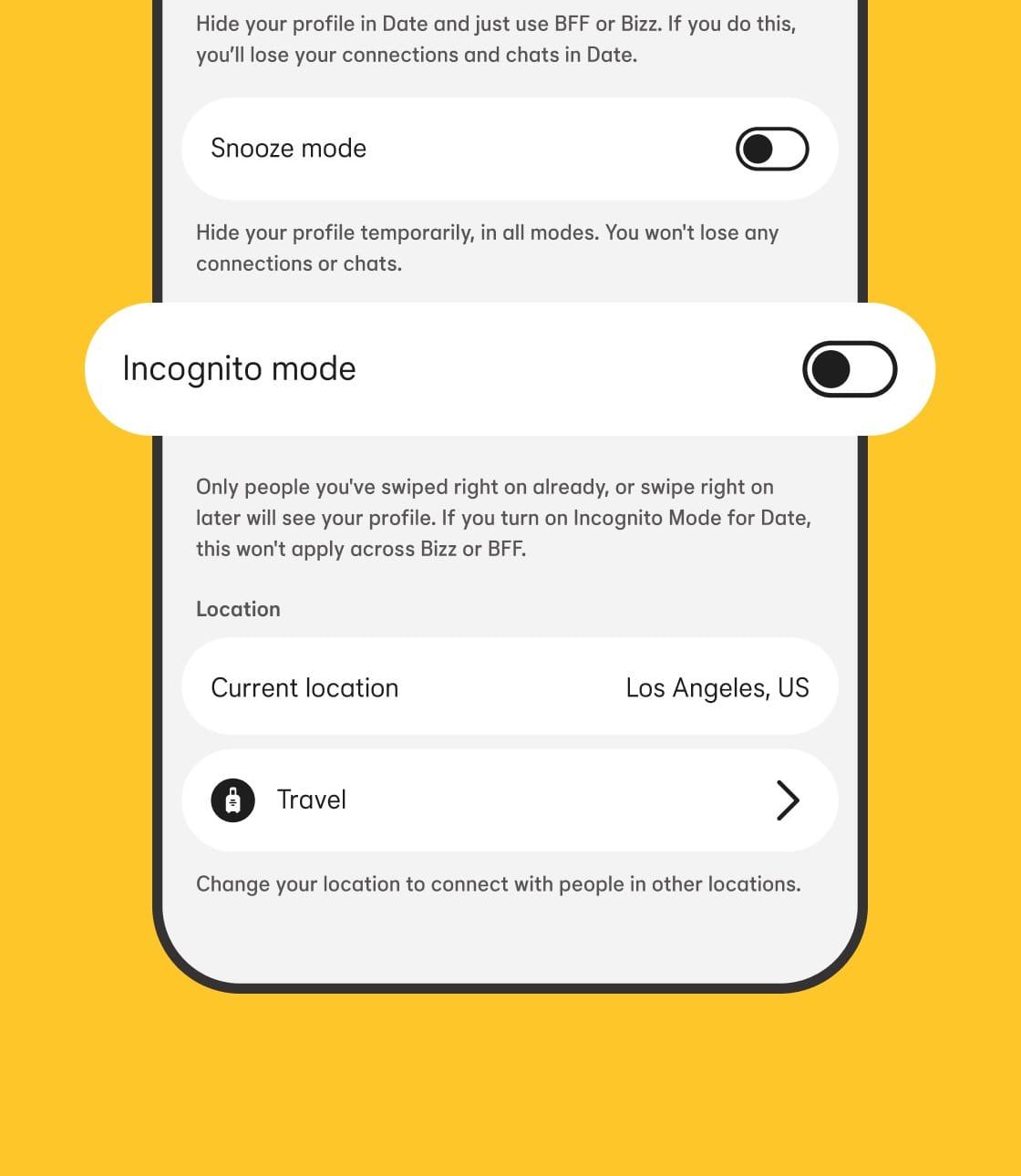
You decide who can see your photos and personal info.
Browse freely without worrying about running into an ex, your work colleague, or anyone else who's not on your dating radar.
Want to include something personal on your profile? You can discreetly share what you want with your current matches.
When you activate Incognito Mode, you won’t appear to other MG Dating members unless you like their profile.
Using Incognito Mode is not the same as blocking someone on MG Dating. With this feature, if you like someone (or if you’ve messaged them in the past), they’ll be able to see your profile.
Without Incognito Mode, your profile is visible to other daters on MG Dating when you fit their preferences, like age and location. When you activate Incognito Mode, you’ll only be seen by people once you’ve liked them.
Apple and the Apple logo are trademarks of Apple Inc. Google Play is a trademark of Google LLC.